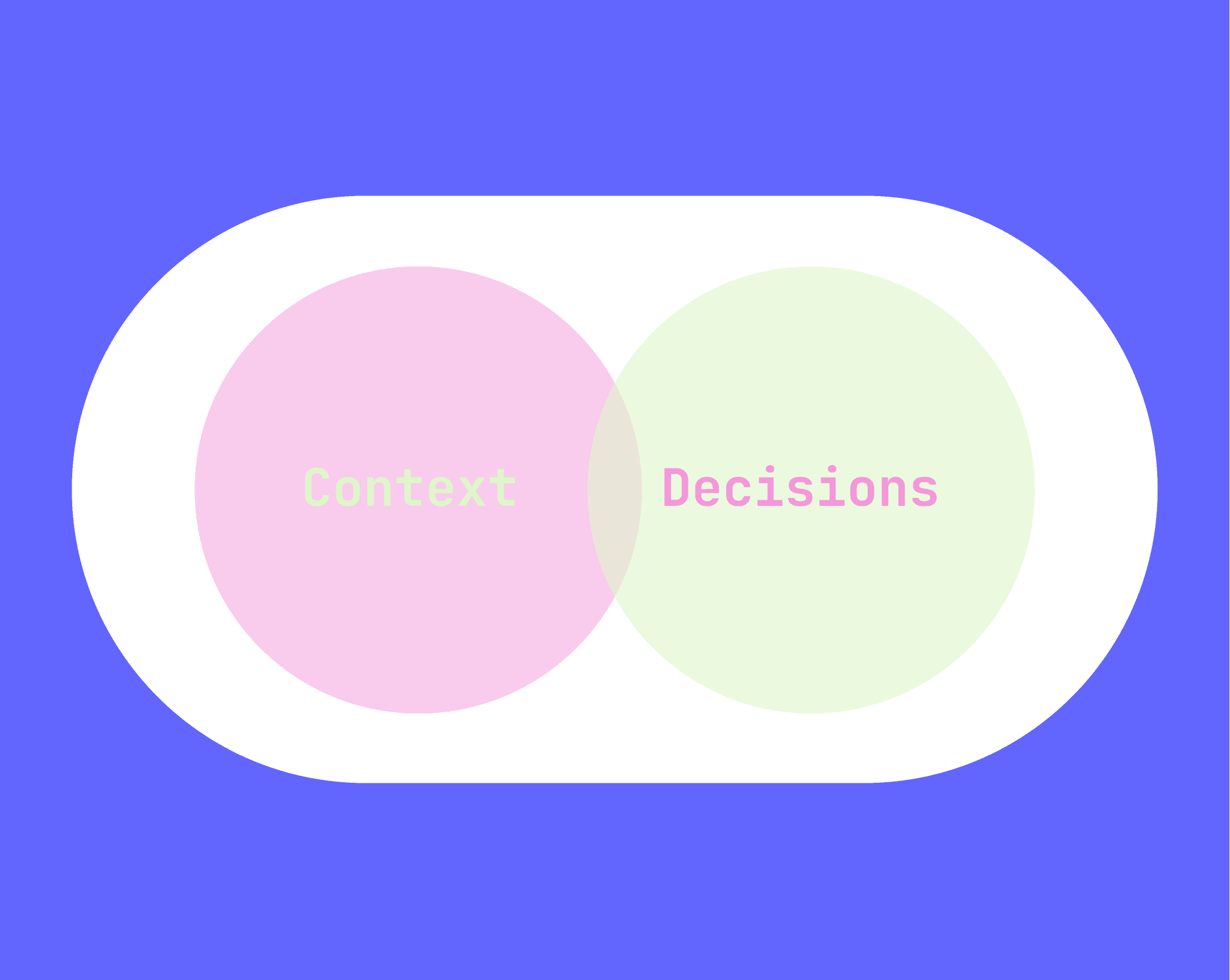
Why is it necessary to look for a new focus?
Designing "screen by screen" is a good way to show and communicate ideas, status systems, and other interactions effectively for non-tech users and stakeholders, also is a starting point to tell a "story" about a user flow and in general terms, how the things flow, but also it has 2 key disadvantages: sharing these solutions for developers sometimes takes more effort to communicate, leaving "uncertainty zones" as well as keeping everyone paying attention during presentations because a designer has to explain what happens screen by screen, Speculative design searches a new path where stakeholders can understand a user flow and giving a deep context for technical users like, developers, information architects or related roles.
Understanding the two sides of the coin
(Challenge and Objectives)
According to Paula Scher, the designer behind the Citi Bank or the Public Theater in NY, attention decreases proportionally to the length of a presentation. For that reason, the presenter must manage time wisely to communicate effectively a solution proposal. Otherwise, situations such as lack of understanding, sudden changes, or other unforeseen situations may arise.
On the other side, showing up screen by screen maybe doesn't give enough information about "what happens if… or how this matches with our database" especially when we are talking with developers this causes a "sea of misinformation" at the best of the cases. So that's why I decided to do something about it.
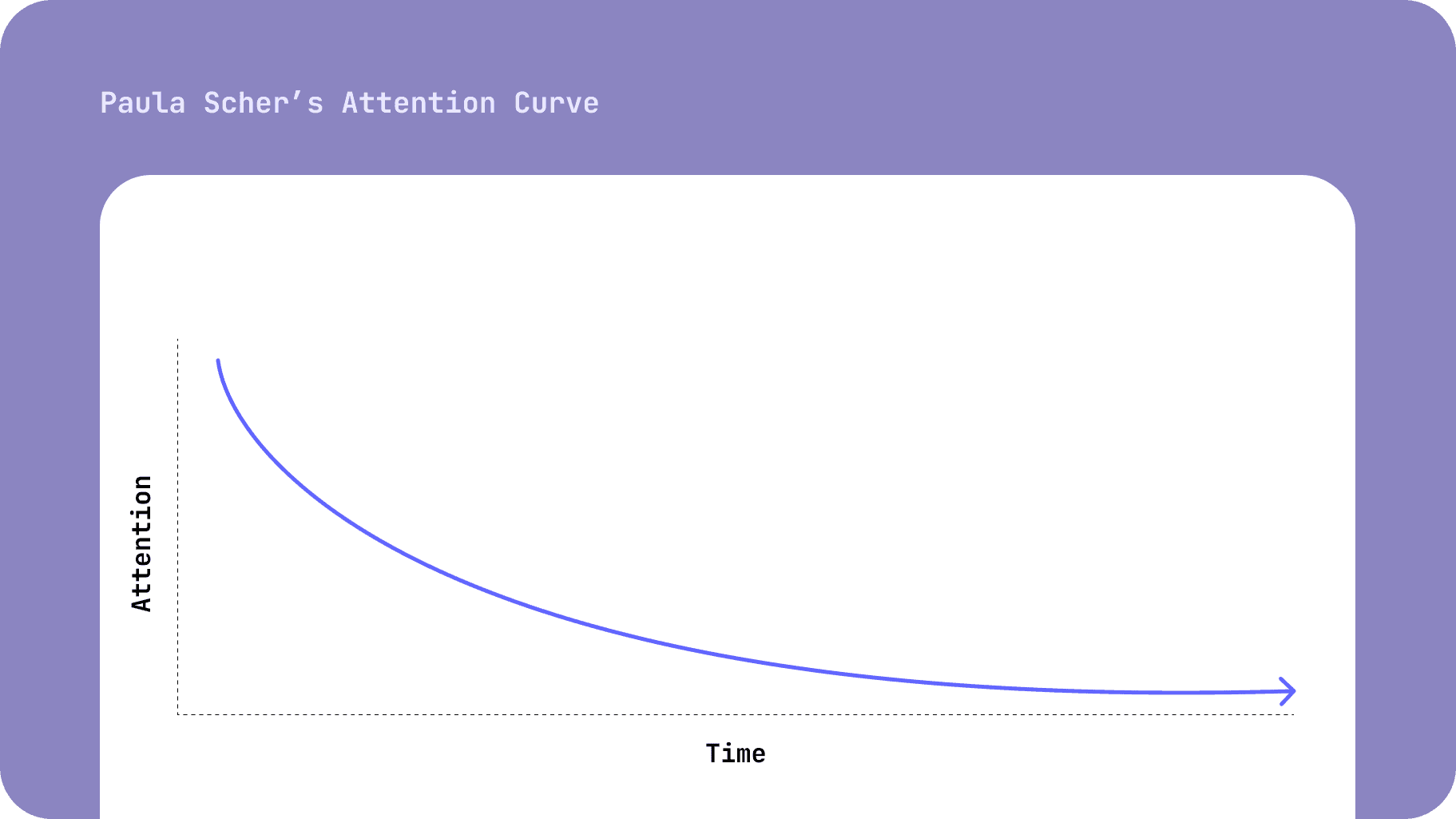
Figure 1. Paula Scher says the attention decreases according the time during a session…
The Approach
1. Problem framing
In order to understand and define the initial questions, I've decided to start with:
A desktop research, searching from other documentation methodologies from all sources (KWL Method, Collaborative Wikis, SOP format,)
Then I conducted user interviews divided in 2 main topics: Understanding which information non-technical people used to like, what is the minimum necessary information to make decisions in order to approve an idea, and the other one oriented to developers with questions like How they consume technical information, how they read technical assets such as entity relationship diagrams or even the correct ways to communicate ideas visually.
Analysing in a deeper level the documentation related to development frameworks,(E.G. Material design, Tailwind) documented design systems and tools like storyboard or supernova.io comparing and extracting pros and cons.
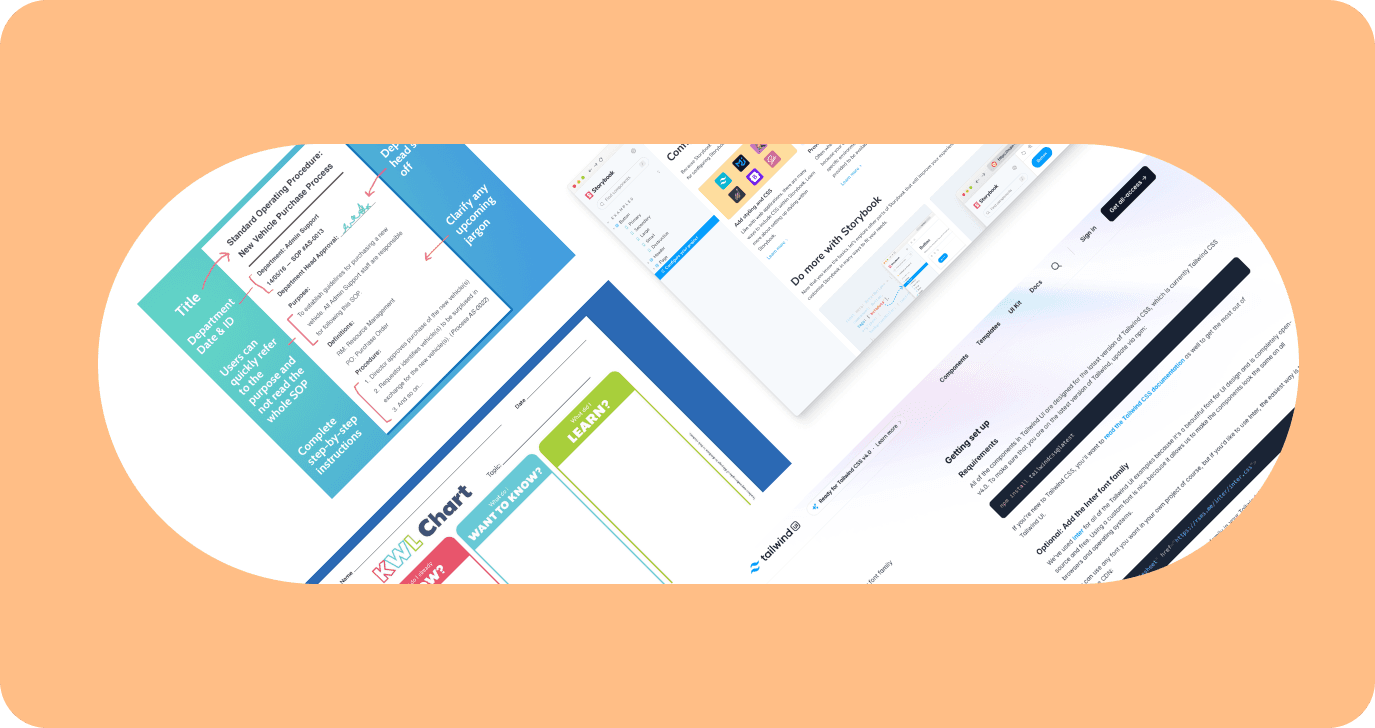
Figure 2. Different documentation approaches were considered at the first step of the research.
2. Primary research results
After that, I analyzed the results (by the user interviews and the desktop research) using Grounded Theory, in other words, identifying core concepts, coding data into categories, and subcategories, and formulating theories. I was able to find the following insights:
Even though having a user flow sometimes for developers is hard to find which endpoints, microservices, or another element of information architectures is needed to make the design work.
Having an over-detailed user flow sometimes can make it tricky for stakeholders to identify "important moments" inside the user flow.
Figma file is not (and doesn't have to be) the single element of reference to develop a product but sometimes to save time and resources the prototype file is used to make business or technical decisions, leading to biases that can be negative for the health of a project.
Sometimes is more helpful to have specific elements of a design to understand a product than to have a long user flow.
And finally, you probably are wondering, "Are you telling me that making user flows is bad or wrong?", and the short answer is a solid NO, it's fine and it's ok, maybe there is nothing that can replace a user flow, (by now) but we can say (according to the results of the interviews) that it needs to be enriched with other practices and alternatives. That is the main purpose of this research and the challenge in general terms.
Sometimes, the Figma file does not contemplate which microservices or endpoints I have to use, and I know maybe it's not the principal task of a UI designer, but,I have to understand deeply how the design works, what choices the users can make and how matches with our environment or if I have to create something from scratch to make it works as to be needed.
That was a comment made by a front-end developer during the interview.
Is very common, that sometimes I need to make choices of how a product can be according to determined situations, like internet lost connection, or which options are available in a filter or a dropdown, of course, it can be solved by asking the designer, or the product manager, but sometimes I don't have enough time if I just had a guide to take the necessary elements that answer my questions and decide by my self considering the design parameters it would be awesome.
Is very common to hear this kind of comment from developers and this in particular made me think in some options.
Jumping into the solution
After that, I drow some approaches considering the resources mentioned before (the Wiki, SOP format, and so on) but after several revisions with the users this seems to be the more accurate approach that solves the main challenges.
This approach considers many "levels" on each design file, the interaction window, the component box, and the information card I'll explain all these elements below.
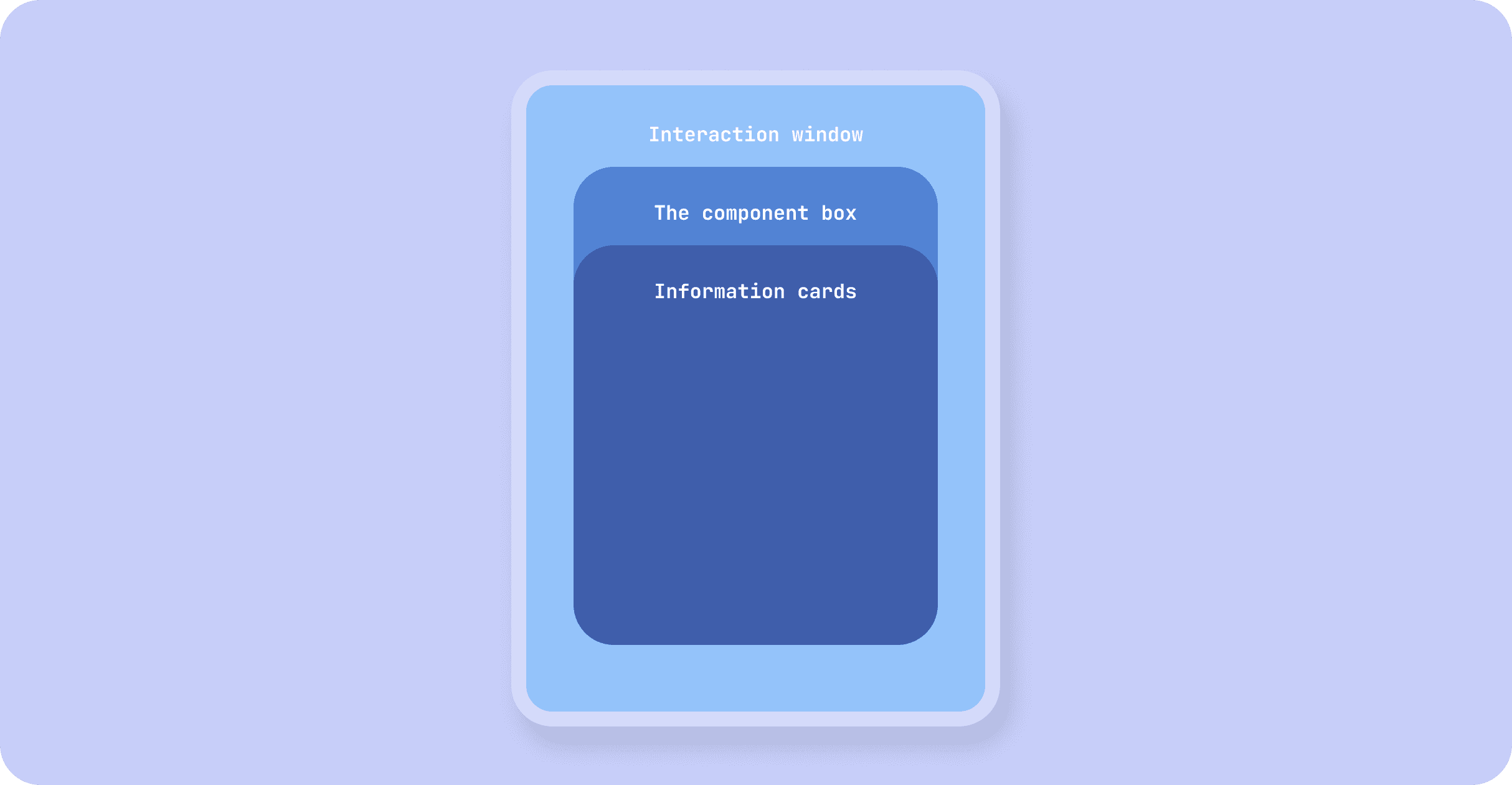
Figure 3. The 3 levels to understand the Speculative Design approach
Interaction window
This element means the "zone" where everything happens and is represented by a screen or two if necessary, this screen does not have to represent all the states of the system, otherwise is necessary to "tell" the whole story of what users can interact with, giving a global context.
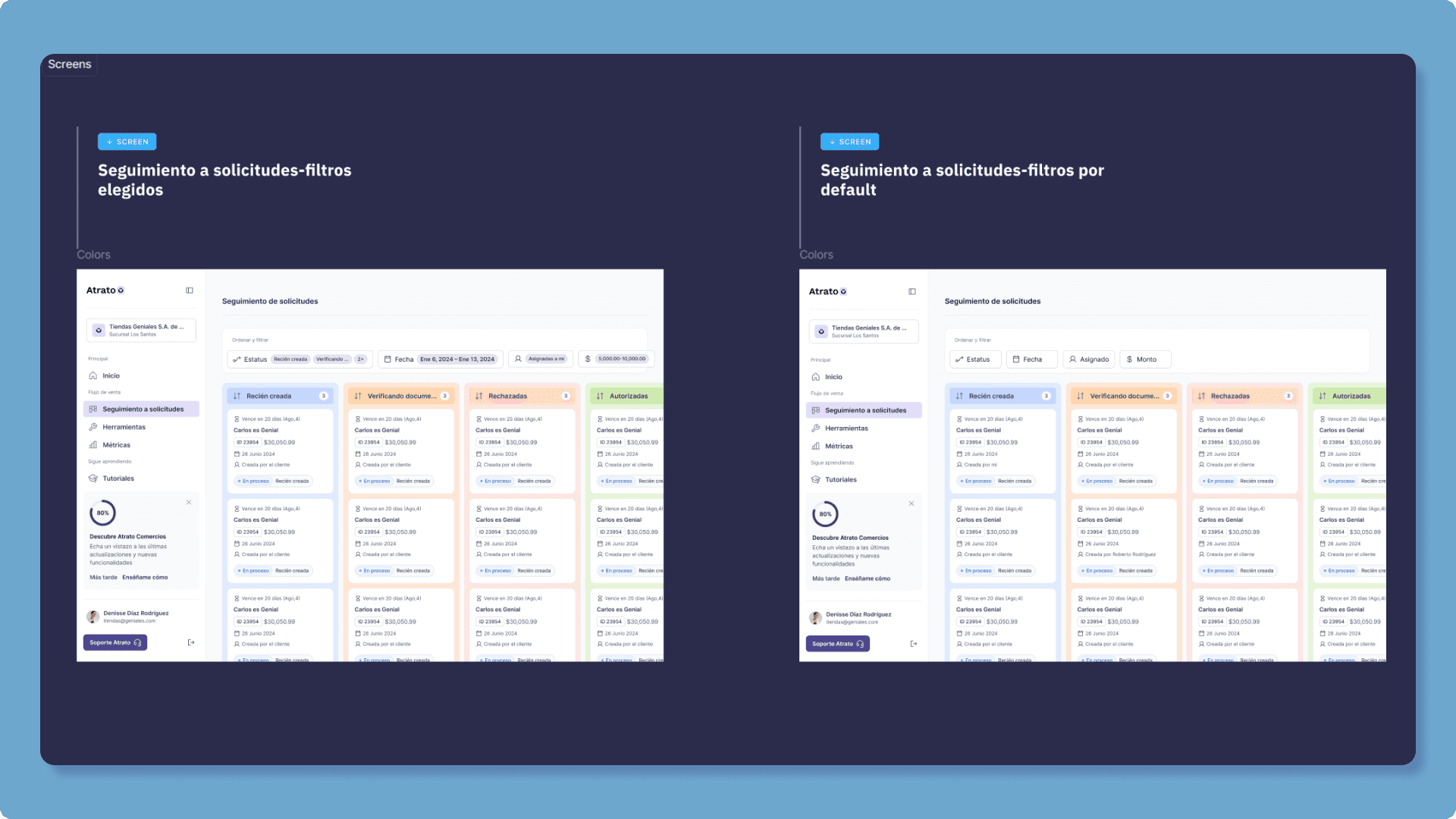
Figure 5. Interaction windows can be represented by 1 or 2 screens that "tell" the whole story (or user story for example)
Component box
Component box, as its name says is where developers can see the different states of the system represented by components, similar to what we can see in a design system but using real information like which endpoints or microservices are needed, which options are available for users and other important information about functionality.
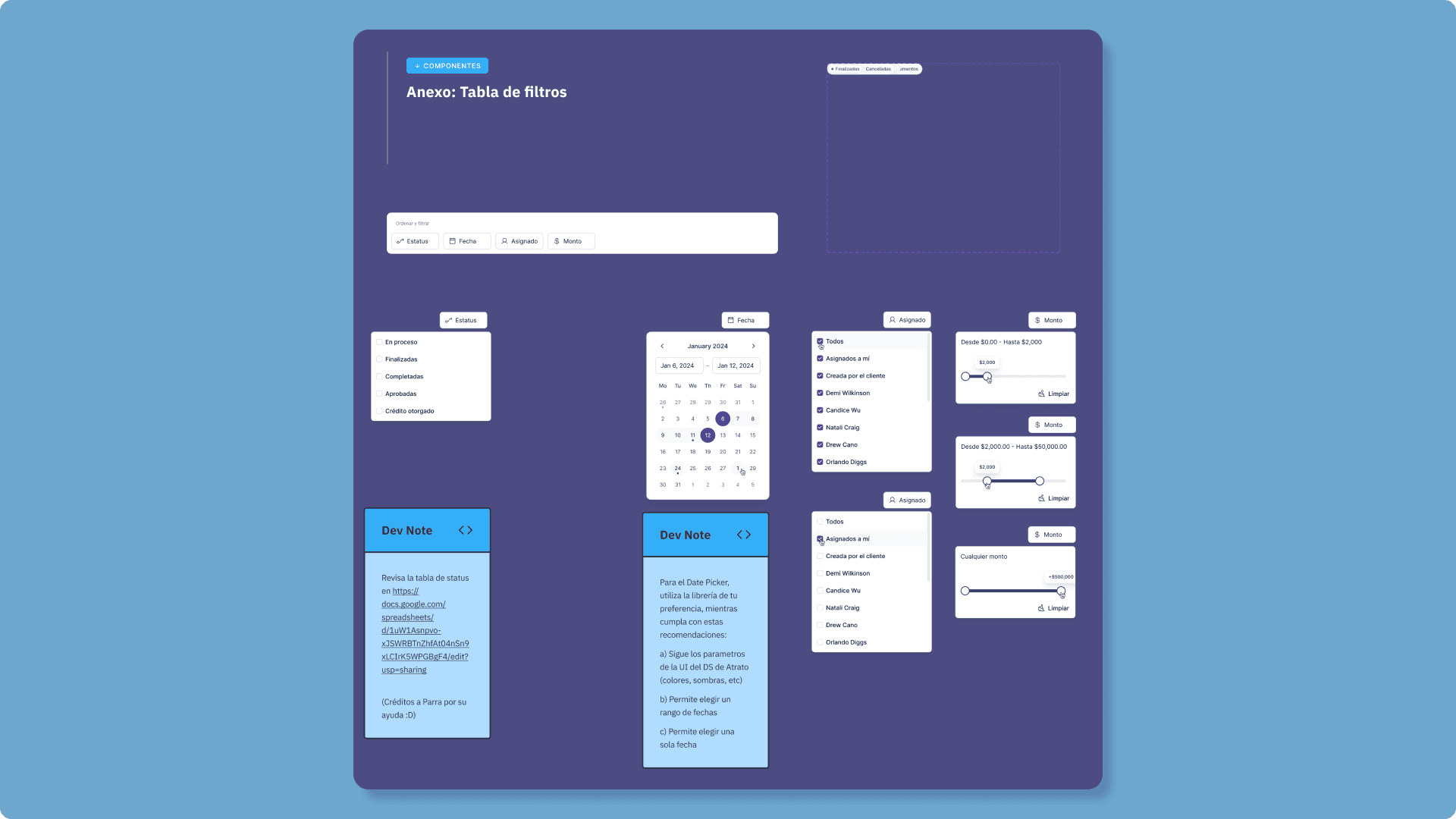
Figure 6. Component boxes are conformed by the necessary elements that all together represent the system states and contain information about endpoints and microservices needed.
Information cards
Information cards are the simplest concept of the approach, basically information cards give more details about the component box and it could labeled in different colors depending on many parameters of to whom certain information is directed, (developers, business development, etc.) the type of information (a dev note, general note, or a relationship with other files and external resources).
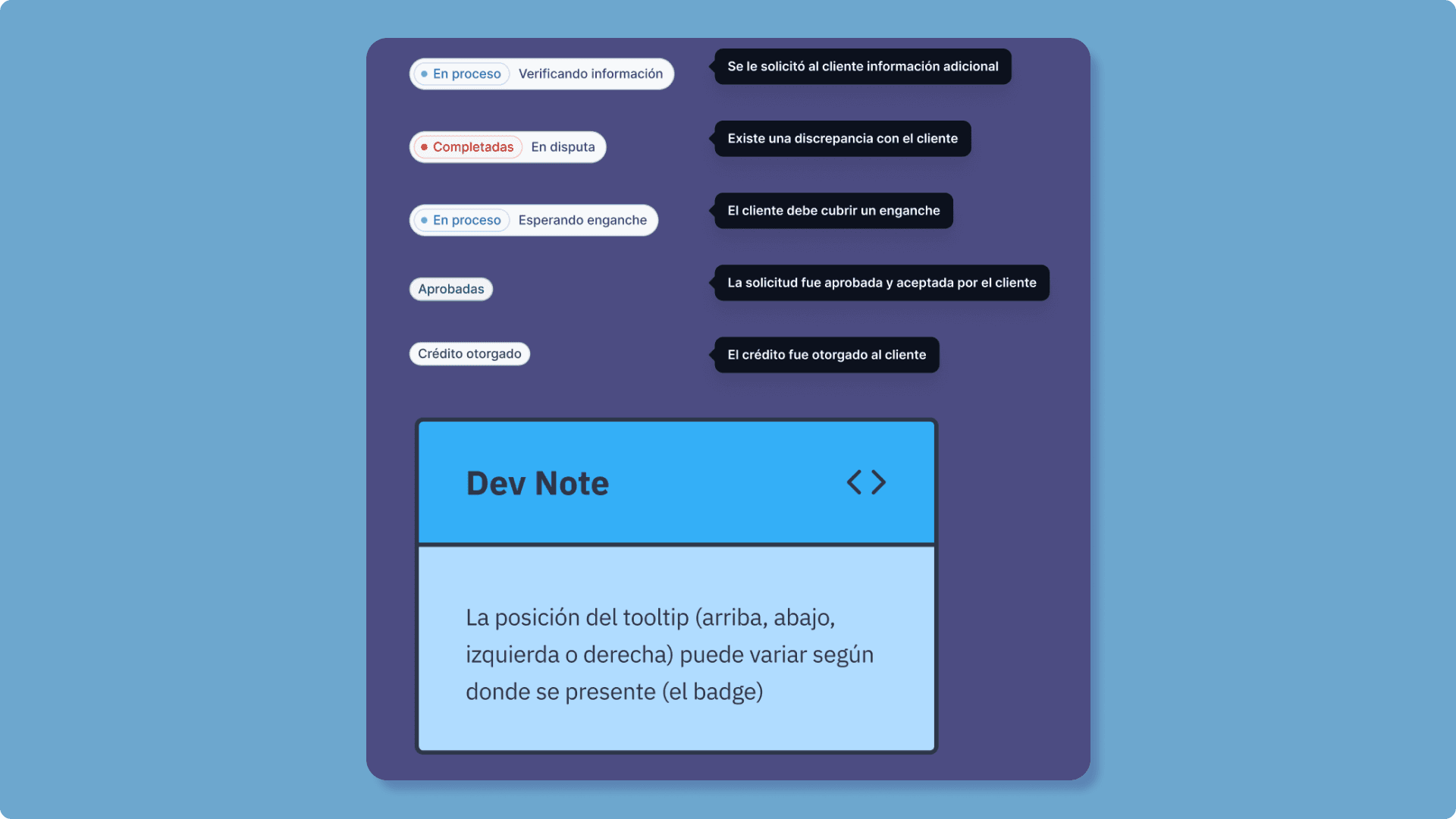
Figure 7. Information cards give more details about a specific component in component boxes.
Conclusions
As you can see Speculative Design does not try to reinvent the wheel, otherwise is a bunch of different practices that can be implemented to give a richer context to people involved in a project, avoiding designing unnecessary elements and going straight to the point to make technical or business-related informed decisions quickly.
Speculative Design could be an interesting approach, for small teams or fast-paced companies where product teams are in a maturation stage or teams recently formed as a didactic way to understand how a product works, saving money on external tools and having all available information in just one place.